
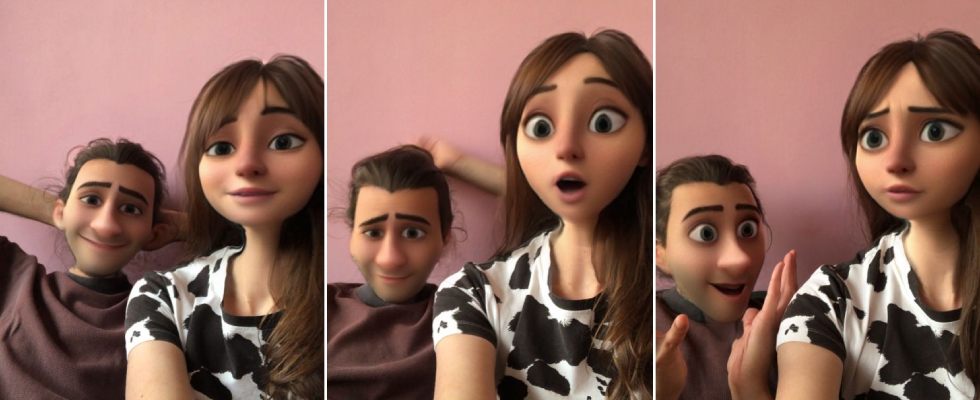
Know All About How to Send a Snap With The Cartoon Face Lens?
While there are a lot of apps available out there in the Google Play Store and other App Stores to click pictures, Snapchat has always had an upper hand among users. It has a plethora of innovative features that anyone would love to delve into and immerse themselves in. More than an exploration of the recent, latest trends, Snapchat allows its users to turn their snaps into playful memories that they can cherish forever.
This blog post will walk you through a step-by-step process of using the Snapchat filter cartoon face lens that has already established its place by gaining love from its users.
Understanding Snapchat
Snapchat, the multimedia messaging app that was launched in 2011 has gained a lot of attention from users worldwide and is known for its delightful features. The main feature of the app that people tend to love is the diverse kinds of lenses and filters that it has.
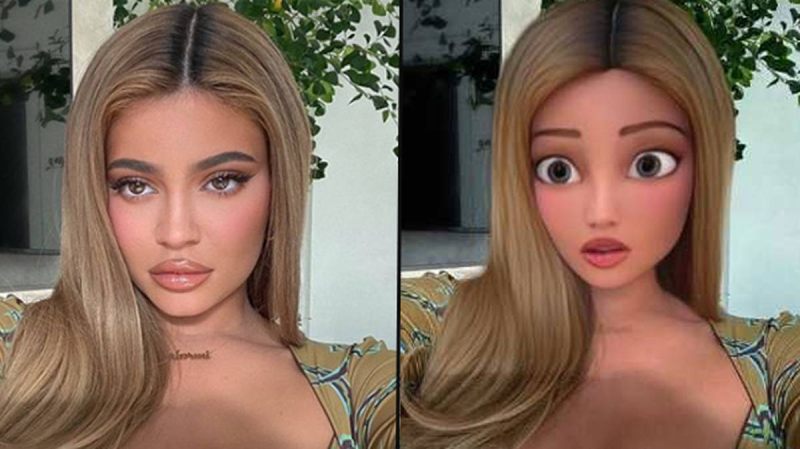
Using these features, you can add various kinds of animations and playful effects to your pictures clicked. This will help you create fun memories with your loved ones. The lenses that are available in Snapchat help you to transform your faces into various characters or animals based on your preferences.
These enhancements will be a visual treat to you when you look at them after a while. You can click your snaps with the help of these filter effects and lenses and then decide if you have to send it to your friends or save it as a memory for later.
How to Use the Cartoon Face Lens
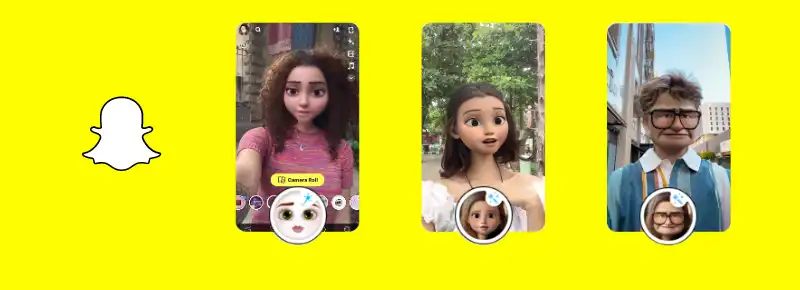
One of the best qualities of Snapchat is that it can be used effortlessly and you do not have to have a mastery over it right from the beginning. These are the simple steps for you to learn how to use the Snapchat cartoon face lens:
Access the Camera in Snapchat: It is needless to say that as the first step you should open the Snapchat app and access the camera shutter icon which is in the bottom portion of the screen. The camera can also be accessed by swiping right on the camera screen. Is not it super easy?
Activate the Cartoon Lens feature: It is definitely not a tedious task to do this. You just have to look at the bottom of the screen, where you would find a lens carousel. Click on that and you can spot a variety of filters and lenses in it. Swipe it over and over until you come across the required cartoon face lens. You can find it easily as it typically has a cartoon face as an icon there. You can add it to your favourites if you want to access it easily the next time.
Align your Face: After opening the cartoon face lens icon, align your face rightly within the frame, so that you can look exactly like an animated face when the picture comes out. Adjust the positioning of your face rightly until the filter completely overlays on to your face and does not look filtered at all.
Customise the Cartoon Avatar: If you are using the latest version of the app, then you will find an option to customize the filter effects according to your choice. This feature allows the users to change the eyes, hairstyles and other features and accessories of the character or animal filter that you have opted for.
Finally, capture your Snap: If you have positioned your face correctly within the frame and if it looks perfect to you, then you can click the snap right away. This works just like any other camera app – you just have to click on the shutter button at the bottom of the screen. If you want a short video, then you can long press on the same shutter button. Pretty easy and sounds fun, right?
Additional Features: Snapchat also offers various other options to enhance your snap. This involves adding emojis and stickers on to your already clicked snap. This will help you to be creative with your clicks! If you want to share your snaps with your friends or add them as a story, then you can do it by clicking on the arrow icon.
You may also like to read about these Instagram worthy cool captions for boys in 2023.
The Engagement Boost: How Cartoon Face Lenses Captivate Users

Is not the cartoon face lens a platform to express your creativity? This is why many users around the world are attracted to it.
It is also fun to turn your own pictures into the faces of adorable animals and other weird, funny characters. It also fosters engagement among users due to the shareable element of the cartoon face lens.
Traditional selfies are no fun if you compare them with this – they definitely lack the fun element according to many users.
It is more enjoyable to see yourself doing all the animated filter effects. The interactive nature of the app, along with its quality to be visually appealing to the viewers has also garnered attention to it around the world.
When capturing videos, the simple acts like blinking and raising eyebrows have turned into something playful with the arrival of snapchat.
Consider Reading:-
- How to Cancel Kindle Unlimited and Reclaim Your Reading Adventure

Get up to 75% OFF on Ethical Beauty Products
Get up to 75% OFF on Ethi ...

Sports Nutrition – Get up to 67% OFF on Your Purchase
Sports Nutrition – Get ...

1 Plus 1 Offer – Get Two Pizza At Rs.99 Each
1 Plus 1 Offer – Get Tw ...

Get 20% Discount on LUX PARKER Men Regular Fit Undershirt.
Get 20% Discount on LUX P ...

Get 71% Discount On Men & Women Boy & Girl-Cotton Regular Fit Half Sleeves T-Shirts.
Get 71% Discount On Men & ...